Describe your business once. Run it as software.
Write down your records, rules and processes in one model. CEDM Platform generates the whole business application from it: database, Rust backend, web screens, API, security and tests. Change the model, and the application follows.
Free while you build. Pay only for applications in production.
cedm: "1.0"
application:
  name: Sales and Order Management
imports:
  - module: common
  - entity: Customer
  - entity: SalesOrder
  - entity: Product
# … 20 entities from the library
From a model to a running application
Business software is mostly the same work done again: records, screens, permissions, approvals, audit. CEDM Platform does that work from your model, so your team spends its time on what is different about your business.
Describe what you run
Start from the library's entities (customers, orders, products) or declare your own. Add value lists, lifecycles, rules, roles and reports in one readable YAML document.
imports:
  - module: common
- entity: SalesOrderOne command, the whole stack
The generator writes the database migrations, the Rust backend, the web front end, the Docker and CI files, and test suites for every entity.
appwithai generate \
-i sales.cedm.yaml -o salesChange it as you learn
Rearrange screens live through the dictionary. Change the model and regenerate: the code your developers wrote in hook handlers is never overwritten.
cargo loco db migrate
cargo loco startThe parts teams rebuild on every project, built in
Each generated application arrives with the plumbing that usually takes months, and with tests that prove it works.
A real codebase you own
A Rust backend on Loco.rs and a TanStack Start web front end, generated as ordinary source you can read, extend and deploy anywhere.
Security that holds
Every request is checked against window access, role rules and the record's own lifecycle. A rule that cannot be read is a refusal, not a pass.
Lifecycles and approvals
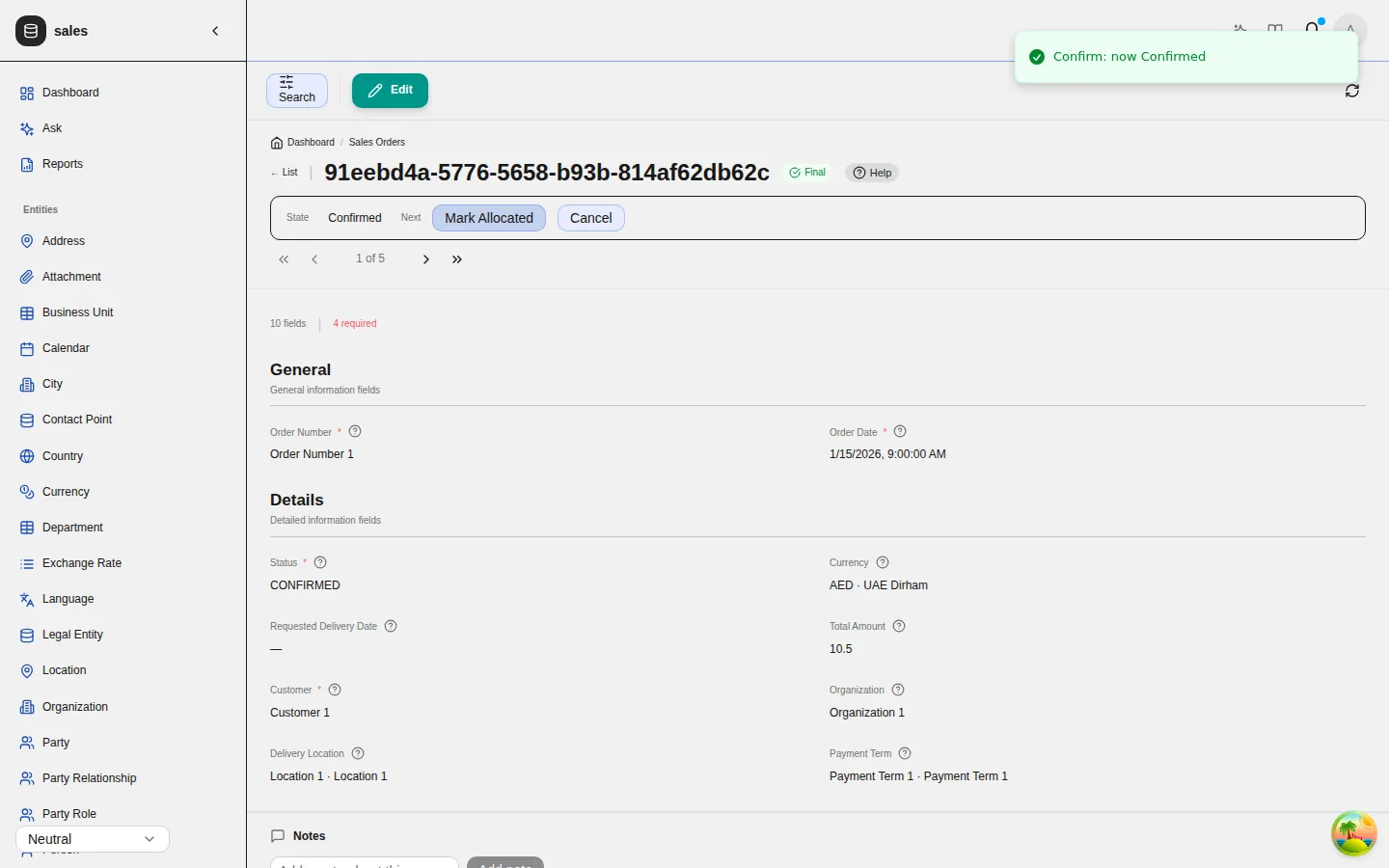
Draft, confirmed, shipped: records move only by the buttons the state machine draws, and only for the roles allowed to press them.
Rules and automations
Business rules as decision tables, and automations built on screen: when this happens, only if that holds, then do these steps.
Change screens without a release
Windows, tabs and fields live in an Application Dictionary. Reorder a field or hide a column and it applies on the next request.
Audit you can prove
Every change to an audited table is written to a hash-chained trail. Editing or deleting an entry breaks the chain from that point on.
Two people, one record
Optimistic locking on every save, with a dialog showing who changed what. Completed transactions are closed to edits and deletes.
Tests generated with it
Every application ships its own request suites, API suites and browser smoke tests, generated from the same model and grown with it.
An API that describes itself
A documented REST API with OpenAPI, Redoc and Scalar built in, so integrations start from a contract rather than guesswork.
Screens that explain themselves
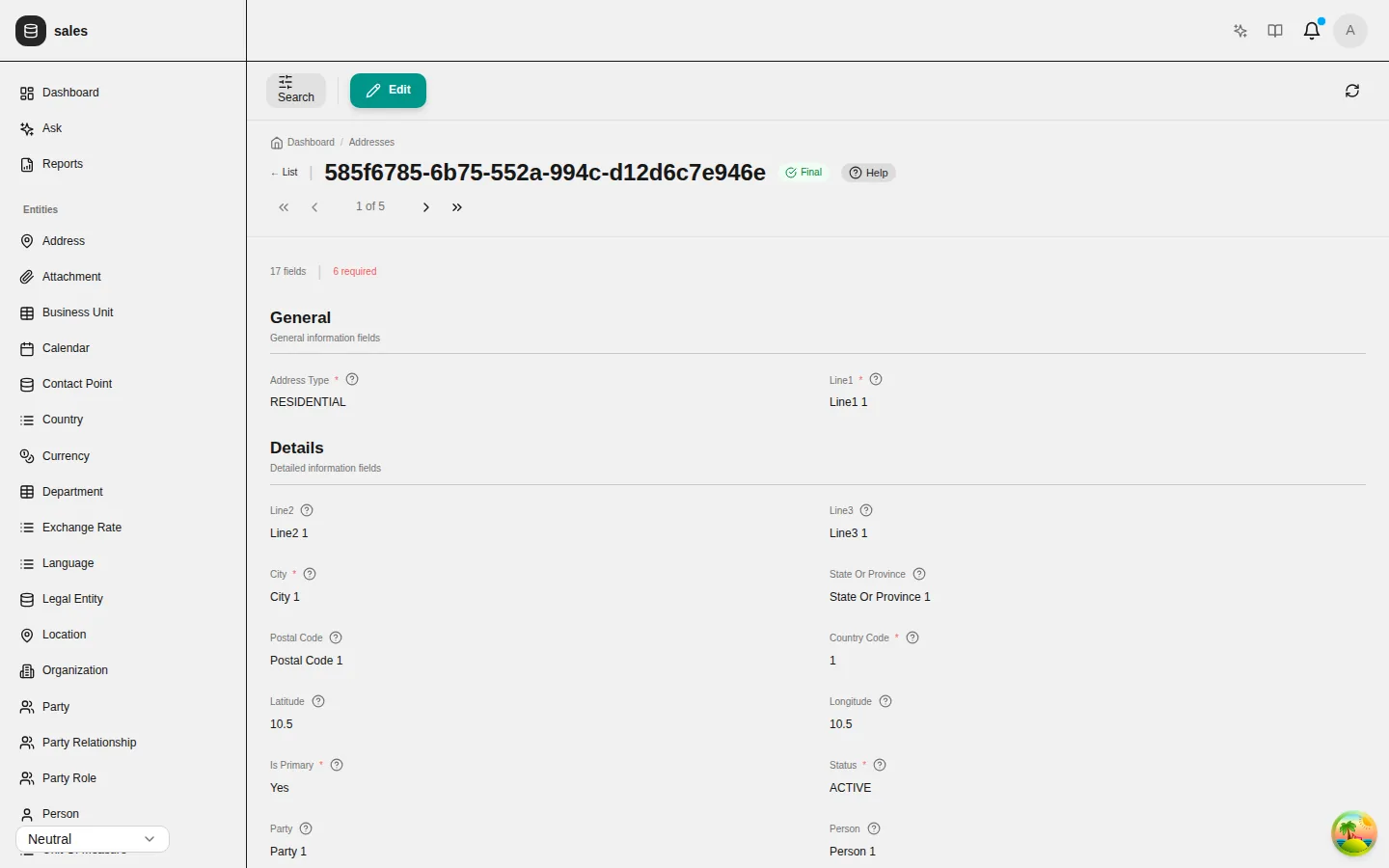
Every form is laid out in the sections the model declares, every field carries the help written for it, and references show the record they point to by name. Administrators can rearrange it all in the running application.
- Help on every window, tab and field, written in the model
- Child records shown as tabs on their parent
- A completed record is marked final and offers no Edit
Automations your operations team can read
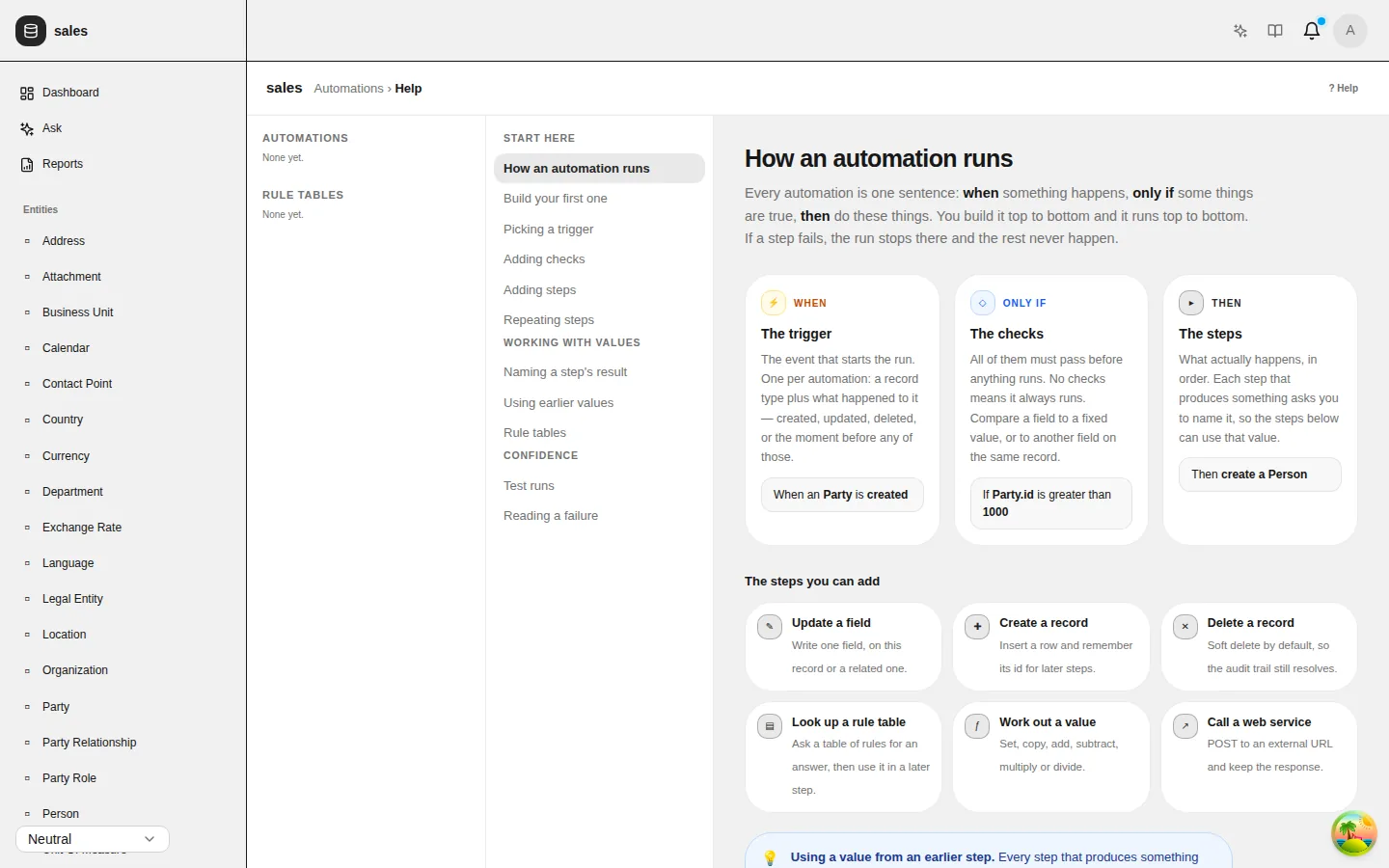
Every automation is one sentence: when something happens, only if some things are true, then do these steps. People build them on screen, try them against a sample record, and see exactly why a run failed.
- Create, update and delete records
- Look up decision tables
- Call a web service and use its answer
Real-world data from the first day
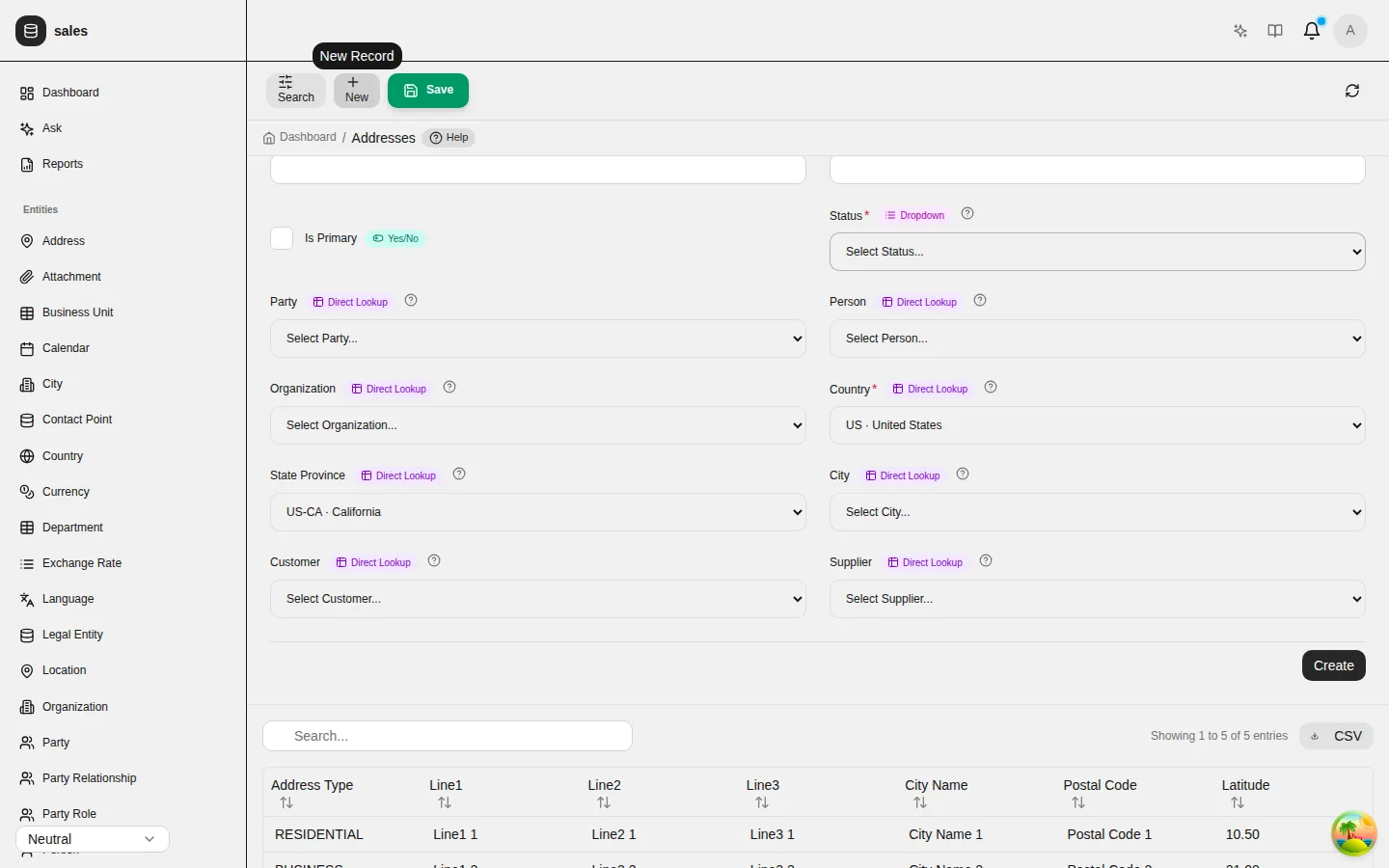
Countries, states, cities, currencies and languages come from ISO standards and GeoNames, built into every application. Address fields narrow each other: choose a country and only its states are offered.
- 249 countries and 1,158 states or provinces
- 178 currencies and 184 languages
- The backend refuses a value outside the narrowed set
Start from your industry, not a blank page
The CEDM library models 55 business domains. Forty-seven of them are already assembled into applications you can generate today, each on a shared common foundation, then shaped to fit.
AI that does the paperwork, with a person in charge
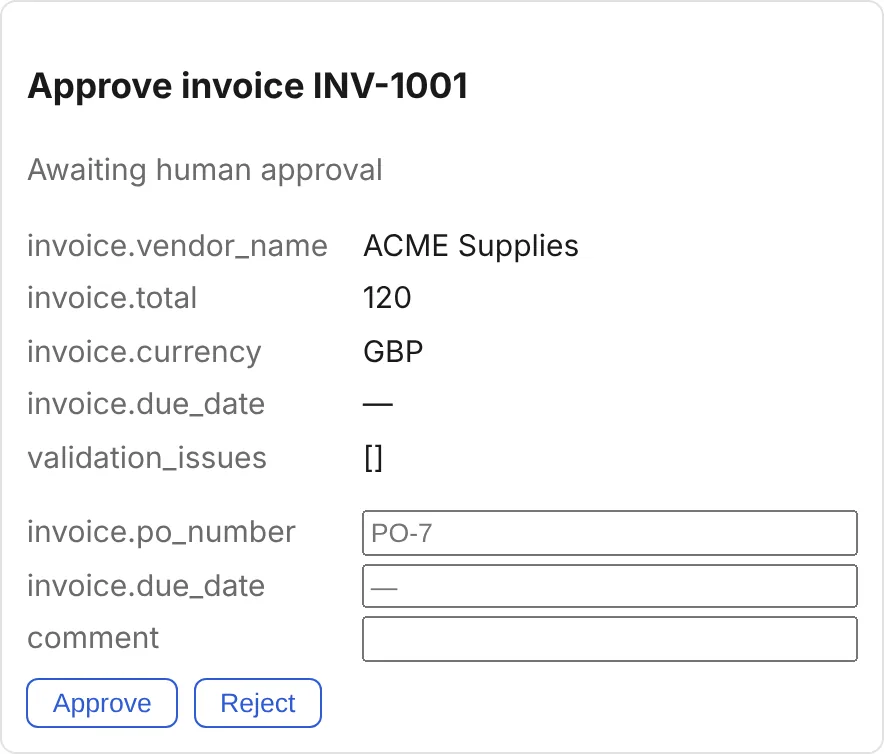
Back-office Agents read incoming documents, extract the fields, check them against your records and post the result, stopping for approval where your policy says a person must decide. Every step is audited and every posting happens exactly once.
- Workflows, prompts and approval rules defined in YAML
- Four-eyes approval and role-based decisions
- Runs on open models you host yourself
Free to build. Simple to run.
Model, generate and test as much as you like at no cost. When an application you built goes into production, it is USD 3 per user per month. No seat fees for your developers, no tiers to outgrow.
See it build your application
Bring a process you run today. We will model it with you and generate the application in the same session.